Tehokas suorituskyky
Meillä on tehokkaat omistetut palvelimet, jotka perustuvat AMD:n Ryzen-sarjaan.

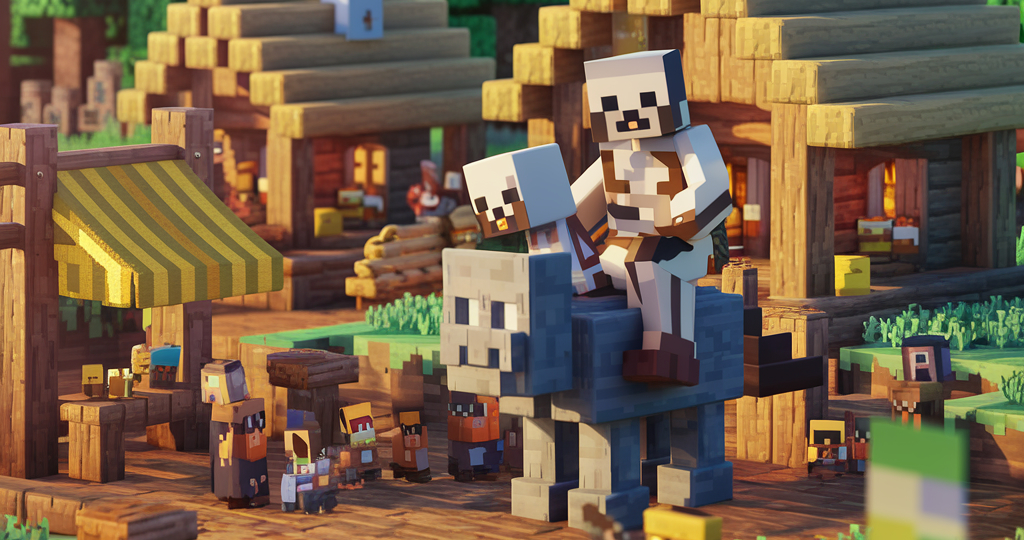
Start your own Minecraft server today with powerful performance and reliable support located here in Norway. Perfect for private servers and large community servers alike, whether you're Team Java or Team Bedrock Edition!
Minecraft
Minecraft may be one of the most timeless games ever created, with something for players of all ages. With your own dedicated Minecraft server, gaming with friends becomes even better. Because what's better than a lightning-fast Minecraft server?
Whether you're building impressive redstone contraptions, creating amazing builds, playing survival, or exploring modpacks, a reliable and affordable Minecraft server in Norway could be exactly what you're looking for.
Koska tarjoamme tehokkaita palvelimia lyömättömään hintaan.
Meillä on tehokkaat omistetut palvelimet, jotka perustuvat AMD:n Ryzen-sarjaan.
Verkkopalveluntarjoajamme tarjoaa tehokkaan DDoS-suojauksen 24/7
Suojaa palvelintiedostosi varmuuskopioilla, jotka voit helposti ajastaa automaattisiksi pelipaneelissa!
Vain paras on tarpeeksi hyvää pelaamiseen, siksi kaikki pelipalvelimet toimivat vain NVMe m.2 SSD -levyillä.
Helppo pääsy kaikkiin palvelimen käyttämiseen tarvittaviin tiedostoihin. Lataa tiedostoja ylös tai alas silloin kun tarvitset.
Palvelin aloittaa asennuksen heti maksun jälkeen.
Palvelimet sijaitsevat strategisesti keskeisesti Itä-Norjassa, jotta yhteys on vakaa koko Norjasta ja muualta Euroopasta.
Kuka haluaa sitoutua pitkäksi aikaa, kun ei tiedä, käytetäänkö palvelinta viikon vai vielä 5 kuukautta? Lopeta milloin tahansa, ja palvelin on käytössäsi maksetun jakson loppuun.
Löydätkö paremman tarjouksen? Kerro meille, niin ehkä vastaamme siihen!
Valitse haluamasi palvelintyyppi, modattu tai vanilla, ja saat sen asennettua heti.
Valitse:
30%
Tilaa pidemmäksi ajaksi ja saat jopa 30% alennuksen jo valmiiksi naurettavan alhaisista hinnoista!
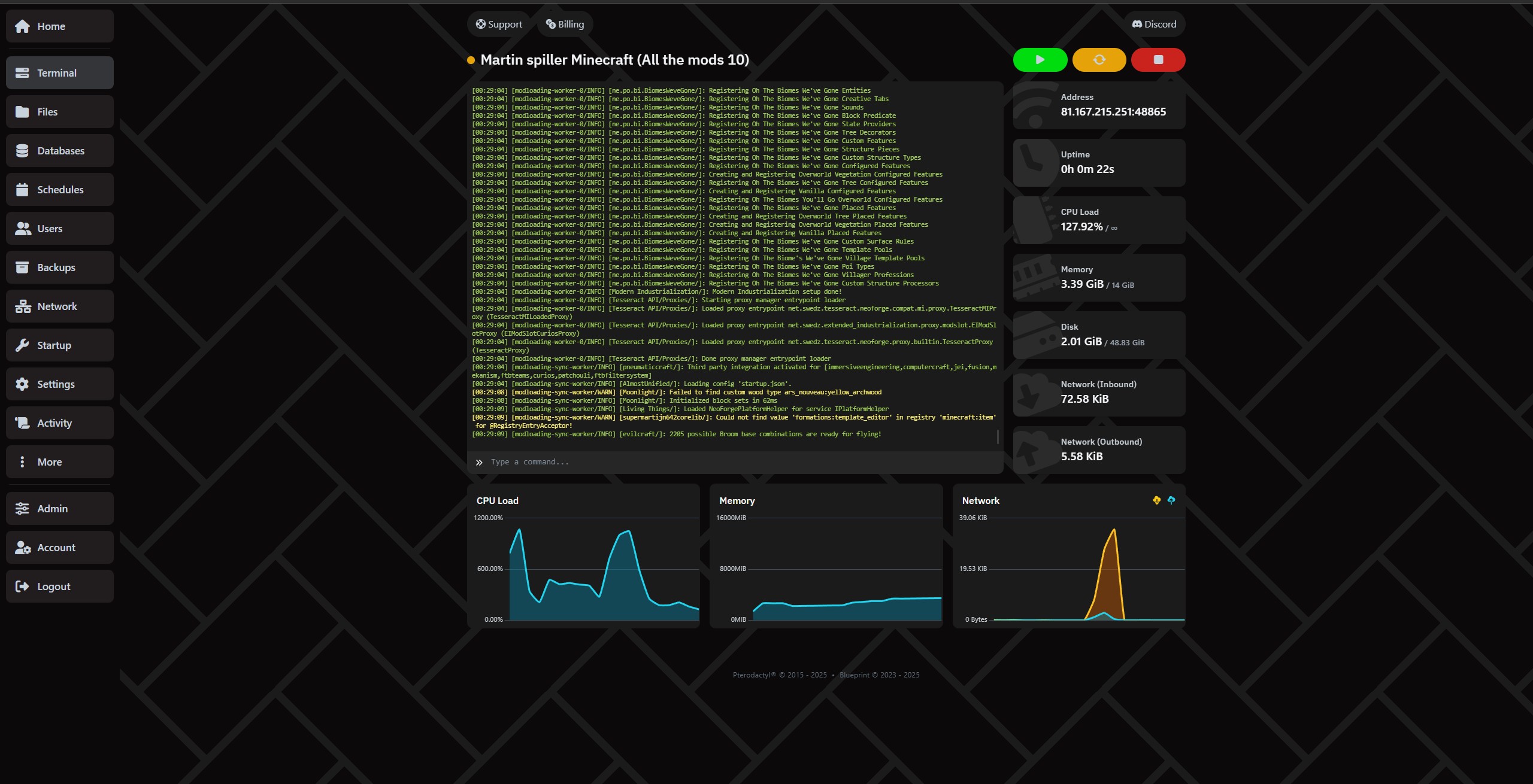
Hallitse palvelinta todella helposti ohjauspaneelimme kautta.
Siirrä tiedostoja helposti SFTP:llä kohdassa settings.
Oletko antanut kavereille pääsyn? Näet kaiken palvelimelle tapahtuneen kohdassa "Activity"
Tee täydet varmuuskopiot Backups-välilehdellä!
Määritä automaattinen varmuuskopiointi ja varmuuskopioiden poisto kohdassa Schedule, niin sinulla on varmasti waypoint, johon palata!
Luo, poista ja hallitse tietokantoja helposti "Databases"-välilehdellä.
Se riippuu täysin tarpeista ja pelaajamäärästä. Pluginit tai modpackit voivat myös kasvattaa RAM-tarvetta huomattavasti. Jos tarvitset apua, voit aina ottaa meihin yhteyttä!
RAM-suosituksemme:
Yleisesti emme suosittele alle 4 Gt, ellet aio ajaa proxy-palvelinta.
Vanilla: Tarvittava RAM riippuu pelaajien määrästä ja maailman koosta. Voi olla järkevää aloittaa 4 Gt:llä ja vain 100% CPU:lla ja seurata kehitystä.
Paper: (Plugineille) - Paper vaatii vähintään 4 Gt, mutta Paper suosittelee vähintään 6-10 Gt. Suosittelemme 200% CPU ja 8 Gt tai enemmän. Lue lisää Paperista heidän omilta sivuiltaan.
Forge: (Mod loader/mod packs) - Forge ei välttämättä tarvitse paljon RAM-muistia, koska jotkin paketit ja modit toimivat hyvin vähälläkin, mutta yleisesti suosittelemme aloittamaan 6 tai 8 Gt:llä ja 200%:lla ja katsomaan, kuinka paljon asentamasi modit/modpackit käyttävät. Lue lisää Forgesta heidän omilta sivuiltaan.
Neo Forge: (Mod loader/mod packs) - Neo Forge ei välttämättä tarvitse paljon RAM-muistia, koska jotkin paketit ja modit toimivat hyvin vähälläkin, mutta yleisesti suosittelemme aloittamaan 6 tai 8 Gt:llä ja 200%:lla ja katsomaan, kuinka paljon asentamasi modit/modpackit käyttävät. Lue lisää Neo Forgesta heidän omilta sivuiltaan.
Fabric: (Modpack) - Suosittelemme aloittamaan vähintään 6 Gt:llä ja 200% CPU:lla ja katsomaan, miten asiat kehittyvät. Lue lisää Fabricista heidän omilta sivuiltaan.
Folia: (Pluginit) - Suosittelemme aloittamaan 16 Gt:llä ja 400% CPU:lla ja katsomaan, miten asiat kehittyvät. Jotkut pärjäävät vähemmällä, kun taas toiset tarvitsevat paljon enemmän. Kaikki riippuu valitsemistasi plugineista. HUOM: Ei ole varmaa, että haluamasi pluginit tukevat Foliaa. Voit lukea lisää Foliasta heidän omilta sivuiltaan.
Velocity: (Proxy) - Proxya tarvitsevat tuntevat varmasti jo suurimman osan. Suosittelemme aloittamaan 1 Gt RAM-muistilla ja 200% CPU:lla ja katsomaan, mitä oikeasti käytät. Lue lisää Velocitysta heidän omilta sivuiltaan.
Bungeecord: (Proxy) - Proxya tarvitsevat tuntevat varmasti jo suurimman osan. Suosittelemme aloittamaan 1 Gt RAM-muistilla ja 200% CPU:lla ja katsomaan, mitä oikeasti käytät. Lue lisää Velocitysta heidän omilta sivuiltaan.
Kyllä. Voit ladata tiedostoja itse tiedostonhallinnan tai FTP:n kautta tai käyttää automaattista asenninta säästääksesi aikaa.
Palvelin on valmis muutama minuutti tilauksen jälkeen.
Meillä on DDoS-suojaus, ja voit ottaa käyttöön päivittäiset varmuuskopiot, joten voit aina palauttaa.
Kyllä. Voit päivittää tai alentaa milloin tahansa täysin ilman sitoutumista.
Playing Minecraft together with friends is an experience that never gets old. But if you've ever tried running a server directly from your own PC, you know how quickly it can become unstable, demanding on your hardware, and disruptive to your own gaming experience. Not to mention the downtime when your PC finally deserves a well-earned rest.
The solution? Minecraft server hosting in Norway – a reliable, fast and user-friendly way to create your own Minecraft world.
With Proservere, you get a dedicated Minecraft server in Norway with a strong network connection, lightning-fast NVMe storage and all the features you need for a smooth gaming experience.
Whether you want to play with a few friends or build a large community, our servers are built with performance, stability and freedom in mind.
There are plenty of Minecraft server hosting providers located abroad. But if you want the best possible gaming experience in Norway, the answer is simple: choose a server that is actually located in Norway.
Having your server closer to your players can significantly reduce the response time between your computer and the server, measured in milliseconds (ms), commonly known as ping.
With a Minecraft server in Norway, you can avoid unnecessary latency caused by your connection having to travel through servers and network infrastructure in other countries.
Lower ping means data can travel between your computer and the server faster. This is particularly important for responsive PvP gameplay, fast interactions and smooth redstone machines.
For Norwegian players, choosing Minecraft hosting in Norway means your server is located close to where you actually play.
Your server comes with DDoS protection, the ability to configure automatic daily backups, and an integrated file manager that makes it easy to manage your server.
You don't have to worry about a network attack or configuration mistake destroying everything you've built, especially when you follow our helpful guides and backup recommendations.
We know that the Minecraft community can be spontaneous. That's why your Minecraft server is ready within just a few minutes.
You can literally create a new world and start playing with your friends the same day.
And if you ever decide to take a break, there is no long-term commitment. You only pay for the period and server package you choose.
When we say we offer affordable Minecraft server hosting in Norway, it's not just about the price – although we're very competitive there. It's about how much value you get included with your server.
Minecraft server hosting simply means renting a server that runs Minecraft for you and your friends.
Instead of using your own computer to host the game, a hosting provider runs the server for you in a professional data centre. This allows your server to stay online without requiring your personal PC to be running.
One of the biggest reasons players choose our Minecraft hosting is our automatic modpack and plugin installer.
You don't need to spend hours downloading files, moving folders or figuring out complicated installations. Choose what you want to install and let the panel handle the setup.
Want to try RLCraft, SkyFactory or Pixelmon?
Normally, installing modpacks can involve manual downloads, configuration and plenty of file management. With Proservere, the process is automated.
Choose your modpack, click install, and your Minecraft server will be ready to configure and play.
Want to add Essentials, WorldEdit or an economy system to your server?
Install plugins directly through the server panel without having to manually upload everything yourself. You can then configure the plugin files to suit your own server and gameplay.
The result: more time playing Minecraft and less time dealing with technical problems.
Choosing Minecraft server hosting in Norway from Proservere means you get:
Whether you're playing Minecraft for fun with a few friends or building a large community, we're ready to host your world.
Order your own Minecraft server in Norway today and play Minecraft your way!
Puhu tiimin ja yhteisön kanssa, nopeaa apua ja hyviä vinkkejä.
We use necessary cookies to make this website work. With your permission, we also use cookies for preferences, analytics and marketing. You can refuse optional cookies or change your choices at any time.
Global Privacy Control is active. Marketing is disabled.
Euroopan unioni / ETA · GDPR / ePrivacy