Kraftfull prestanda
Vi har kraftfulla dedikerade servrar baserade på AMD:s Ryzen-serie.

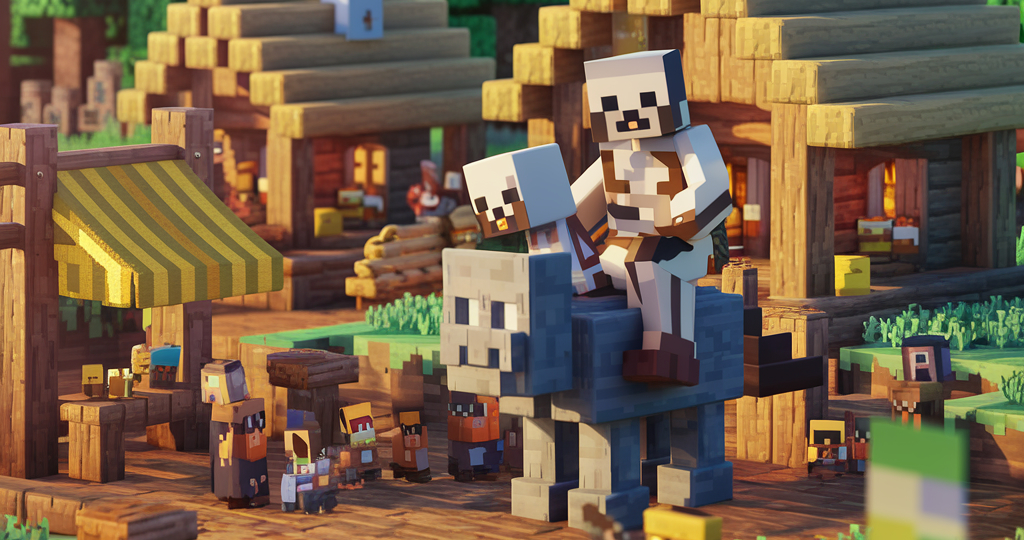
Start your own Minecraft server today with powerful performance and reliable support located here in Norway. Perfect for private servers and large community servers alike, whether you're Team Java or Team Bedrock Edition!
Minecraft
Minecraft may be one of the most timeless games ever created, with something for players of all ages. With your own dedicated Minecraft server, gaming with friends becomes even better. Because what's better than a lightning-fast Minecraft server?
Whether you're building impressive redstone contraptions, creating amazing builds, playing survival, or exploring modpacks, a reliable and affordable Minecraft server in Norway could be exactly what you're looking for.
För att vi levererar kraftfulla servrar till ett oöverträffat pris.
Vi har kraftfulla dedikerade servrar baserade på AMD:s Ryzen-serie.
Vår nätleverantör levererar kraftfullt DDoS-skydd 24/7
Säkra dina serverfiler med backups som du enkelt kan ställa in automatiskt i spelpanelen!
Endast det bästa är gott nog för gaming, därför körs alla spelservrar endast på NVMe m.2 SSD:er.
Enkel tillgång till alla filer som behövs för att använda servern. Ladda upp eller ner de filer du behöver, när du behöver dem.
Servern startar installationen direkt efter att betalningen har genomförts.
Servrarna är strategiskt placerade centralt på Östlandet i Norge, för stabil anslutning från hela Norge och resten av Europa.
Vem vill binda sig länge när man inte vet om servern ska användas i 1 vecka eller 5 månader till? Avsluta när som helst, så har du servern resten av den betalda perioden.
Hittar du en bättre deal? Säg till, så kanske vi matchar den!
Välj vilken servertyp du vill ha, moddad eller vanilla, och få den installerad direkt.
Välj mellan:
30%
Beställ för en längre period och få upp till 30% rabatt på redan galet låga priser!
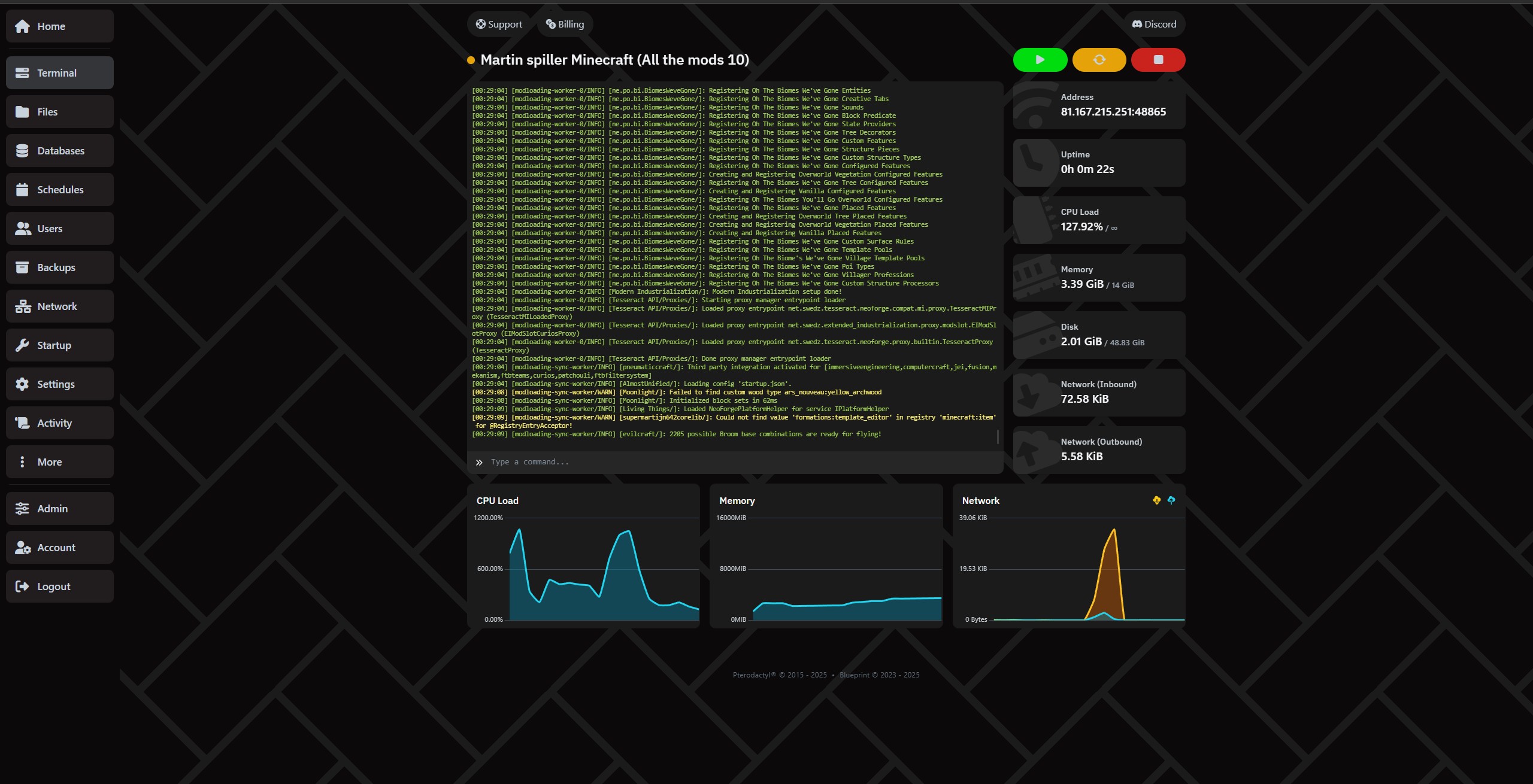
Administrera servern superenkelt via vår kontrollpanel.
Flytta filer med SFTP enkelt under settings.
Har du gett vänner åtkomst? Se allt som har hänt med servern under "Activity"
Skapa fullständiga backups under fliken Backups!
Ställ in automatisk backup och radering av backups under Schedule, så är du säker på att du har en waypoint att gå tillbaka till!
Skapa, radera och hantera databaser enkelt under fliken "Databases".
Det beror helt på behov och antal spelare. Plugins eller modpacks kan också öka behovet av RAM avsevärt. Behöver du hjälp kan du alltid kontakta oss!
Våra rekommendationer för RAM:
Generellt rekommenderar vi inget under 4GB, såvida du inte ska köra en proxyserver.
Vanilla: Hur många GB RAM du behöver beror på hur många spelare och hur stor värld du vill ha. Det kan vara klokt att börja på 4GB och bara 100% CPU och se utvecklingen.
Paper: (För plugins) - Paper kräver minst 4GB, men Paper rekommenderar minst 6-10GB. Vi rekommenderar 200% CPU och 8GB eller mer. Läs mer om Paper på deras egna sidor.
Forge: (Mod loader/mod packs) - Forge behöver inte nödvändigtvis mycket RAM, eftersom vissa paket och mods fungerar bra på lite, men generellt rekommenderar vi att börja på 6GB eller 8GB och 200% och se hur mycket de mods/modpacks du installerar använder. Läs mer om Forge på deras egna sidor.
Neo Forge: (Mod loader/mod packs) - Neo Forge behöver inte nödvändigtvis mycket RAM, eftersom vissa paket och mods fungerar bra på lite, men generellt rekommenderar vi att börja på 6GB eller 8GB och 200% och se hur mycket de mods/modpacks du installerar använder. Läs mer om Neo Forge på deras egna sidor.
Fabric: (Modpack) - Vår rekommendation är att börja på minst 6GB och 200% CPU och sedan se hur det utvecklas. Läs mer om Fabric på deras egna sidor.
Folia: (Plugins) - Vår rekommendation är att börja på 16GB och 400% CPU och se hur det utvecklas. Vissa klarar sig med mindre, medan andra behöver mycket mer. Allt beror på vilka plugins du väljer. OBS: Det är inte säkert att de plugins du vill ha stöder Folia. Du kan läsa mer om Folia på deras egna sidor.
Velocity: (Proxy) - De som ska ha proxy kan garanterat det mesta redan. Vi rekommenderar att börja med 1GB RAM och 200% CPU och se vad du faktiskt använder. Läs mer om Velocity på deras egna sidor.
Bungeecord: (Proxy) - De som ska ha proxy kan garanterat det mesta redan. Vi rekommenderar att börja med 1GB RAM och 200% CPU och se vad du faktiskt använder. Läs mer om Velocity på deras egna sidor.
Ja. Du kan ladda upp filer själv via filhanteraren eller FTP, eller använda vår automatiska installerare för att spara tid.
Servern är klar några minuter efter beställning.
Vi har DDoS-skydd och du har möjlighet att ställa in dagliga backups, så att du alltid kan återställa.
Ja. Du kan uppgradera eller nedgradera när som helst helt utan bindningstid.
Playing Minecraft together with friends is an experience that never gets old. But if you've ever tried running a server directly from your own PC, you know how quickly it can become unstable, demanding on your hardware, and disruptive to your own gaming experience. Not to mention the downtime when your PC finally deserves a well-earned rest.
The solution? Minecraft server hosting in Norway – a reliable, fast and user-friendly way to create your own Minecraft world.
With Proservere, you get a dedicated Minecraft server in Norway with a strong network connection, lightning-fast NVMe storage and all the features you need for a smooth gaming experience.
Whether you want to play with a few friends or build a large community, our servers are built with performance, stability and freedom in mind.
There are plenty of Minecraft server hosting providers located abroad. But if you want the best possible gaming experience in Norway, the answer is simple: choose a server that is actually located in Norway.
Having your server closer to your players can significantly reduce the response time between your computer and the server, measured in milliseconds (ms), commonly known as ping.
With a Minecraft server in Norway, you can avoid unnecessary latency caused by your connection having to travel through servers and network infrastructure in other countries.
Lower ping means data can travel between your computer and the server faster. This is particularly important for responsive PvP gameplay, fast interactions and smooth redstone machines.
For Norwegian players, choosing Minecraft hosting in Norway means your server is located close to where you actually play.
Your server comes with DDoS protection, the ability to configure automatic daily backups, and an integrated file manager that makes it easy to manage your server.
You don't have to worry about a network attack or configuration mistake destroying everything you've built, especially when you follow our helpful guides and backup recommendations.
We know that the Minecraft community can be spontaneous. That's why your Minecraft server is ready within just a few minutes.
You can literally create a new world and start playing with your friends the same day.
And if you ever decide to take a break, there is no long-term commitment. You only pay for the period and server package you choose.
When we say we offer affordable Minecraft server hosting in Norway, it's not just about the price – although we're very competitive there. It's about how much value you get included with your server.
Minecraft server hosting simply means renting a server that runs Minecraft for you and your friends.
Instead of using your own computer to host the game, a hosting provider runs the server for you in a professional data centre. This allows your server to stay online without requiring your personal PC to be running.
One of the biggest reasons players choose our Minecraft hosting is our automatic modpack and plugin installer.
You don't need to spend hours downloading files, moving folders or figuring out complicated installations. Choose what you want to install and let the panel handle the setup.
Want to try RLCraft, SkyFactory or Pixelmon?
Normally, installing modpacks can involve manual downloads, configuration and plenty of file management. With Proservere, the process is automated.
Choose your modpack, click install, and your Minecraft server will be ready to configure and play.
Want to add Essentials, WorldEdit or an economy system to your server?
Install plugins directly through the server panel without having to manually upload everything yourself. You can then configure the plugin files to suit your own server and gameplay.
The result: more time playing Minecraft and less time dealing with technical problems.
Choosing Minecraft server hosting in Norway from Proservere means you get:
Whether you're playing Minecraft for fun with a few friends or building a large community, we're ready to host your world.
Order your own Minecraft server in Norway today and play Minecraft your way!
Prata med teamet och communityn, snabb hjälp och bra tips.
We use necessary cookies to make this website work. With your permission, we also use cookies for preferences, analytics and marketing. You can refuse optional cookies or change your choices at any time.
Global Privacy Control is active. Marketing is disabled.
Europeiska unionen / EES · GDPR / ePrivacy