
1. Go to the control panel. This article is also available in video format!
2. Then go to your ARK server
3. Click startup in the Server menu

4. Find Additional Arguments (FLAGS)
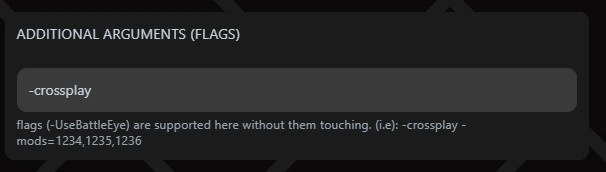
5. Type -crossplay in the text field
6. Save (You do this by pressing Enter on your keyboard or clicking the box next to it)
7. Restart the server (It is the yellow button)

When all this is done, you have enabled crossplay on your ARK Survival Ascended server!
Having trouble finding your server in ARK? Follow this guide here


